Parts and bin locations
What the scanner looks up. Get this right six weeks out and the rest of the stocktake is straightforward.
Parts belong to the company. Bin locations belong to a site. A part
number means the same thing at every warehouse you have; A-01-02 is
a different shelf at each one.
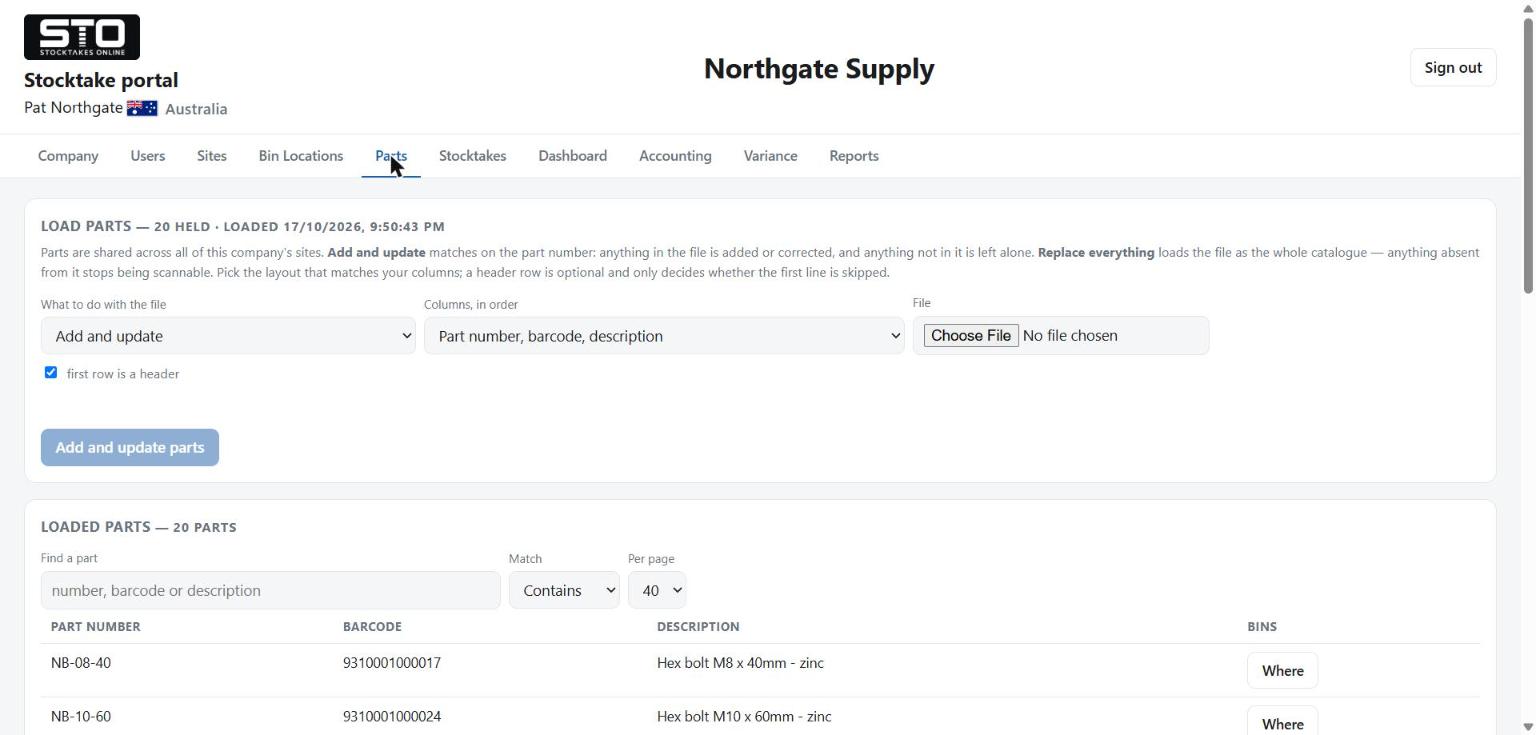
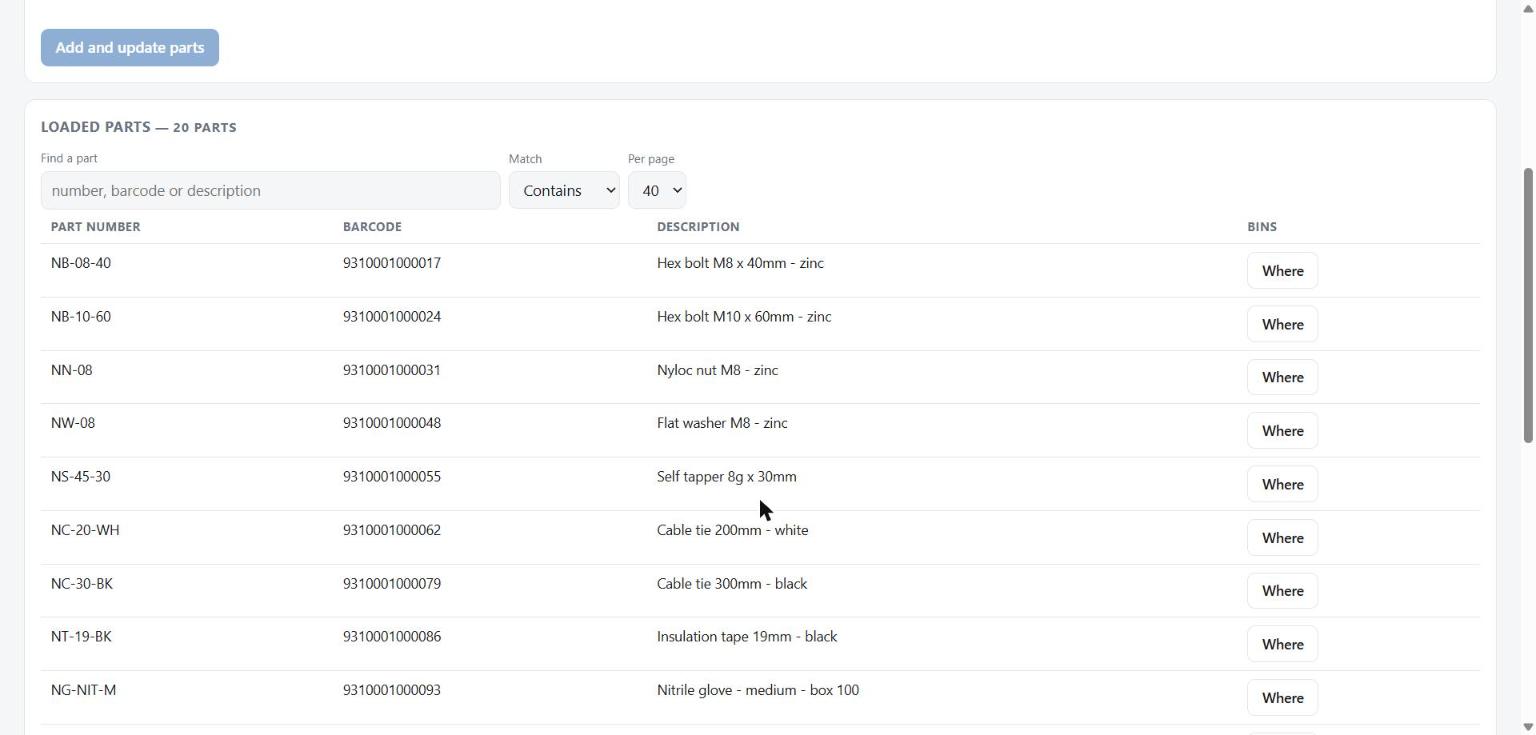
Both are loaded from the portal, on the Parts and Bin Locations tabs. You choose a column layout, pick a CSV, and the portal shows you the first ten rows under the column names they landed in before anything is written. Read those ten rows. A description sitting in a column headed Barcode is unmissable there and invisible afterwards.
Add and update, or Replace everything
This is the most important choice on the page, and the default is the safe one.
| Add and update | Replace everything | |
|---|---|---|
| Matches on | part number | barcode |
| Parts in the file | added if new, updated if they exist | added or updated |
| Parts not in the file | left completely alone | retired — they stop scanning |
| Use it for | everything, nearly always | only when the catalogue genuinely shrinks |
A one-line file is safe. If you find a missed part halfway through a count, make a file with that one part in it, load it with Add and update, and the other two hundred are untouched. That is the normal way to do it.
Replace everything retires every part the file does not mention. A retired part stops scanning immediately. The operator gets the same answer they would get for a part that was never in your system at all, and the scanner cannot tell them an administrator changed the catalogue a minute ago.
Before it does that, the portal tells you the number:
1,164 of your 1,746 parts are not in this file and stop scanning:
  DL GM4130, DL GRYPHON1, DL GRYPHON2, DLL2020, and 1,160 more
  Retiring cannot be undone.
If that number is not what you expected, you have the wrong file. Stop.
Replace everything is switched off while a count is running. Mid-count is the one time a retirement is certainly destructive, so the option is not offered at all. Add and update stays available throughout.
What a blank cell means
An empty cell means “I have nothing to say about this field”, and the portal keeps what is already there. It does not erase it.
So a file of part numbers and barcodes with the description column left empty updates the barcodes and leaves every description alone. If you want to change a description, put the new one in the cell.
Changing a barcode
You can. Load the part again with Add and update and a different barcode, and it is changed — it is matched on the part number, which is how “this part has a new barcode” is expressible at all.
The old barcode stops working the moment you do. Nothing is retired and nothing is added, so the result says only “1 changed” — but a shelf label carrying the old code now scans as nothing. The portal names every one before you load:
2 part(s) change barcode - the old one stops scanning:
  HB-516-150: 012874100007 becomes 012874100021
  NN-38: 012874109253 becomes 012874109260
If you did not mean to change a barcode, that line is how you find out. Check the column order first — a quantity read as a barcode looks exactly like this.
What the portal refuses outright
| In your file | What happens |
|---|---|
| The same part number on two lines | Refused, naming both line numbers. There is no right answer, so it does not guess. |
| The same barcode on two lines | Refused. A barcode can only mean one part. |
| A barcode that already belongs to a different part | Refused, naming which part holds it. |
| A new part with no barcode | Refused. It would never be scannable. |
These refusals happen before anything is written. A refused file changes nothing at all, so there is no half-loaded state to undo.
Duplicate barcodes are the surest sign of the wrong column layout. If
you pick part number, barcode, description and hand it a file of
part number, quantity, the quantities are read as barcodes — and
every part with a quantity of 0 collides on barcode 0. The portal
refuses it and says so, but it is worth knowing what it means when you see it.
Bin locations
Same two modes, same rules, loaded per site. The CSV is
code,description and the description is optional.
Every row loads whatever its length — these are your racks, not our field sizes. Length only affects the printed label sheet: a code of about fifteen characters prints at full size, longer ones shrink to fit, and a description past roughly forty is trimmed with an ellipsis on the label itself.
Retired is not deleted
Nothing you load ever destroys a row. A retired part keeps its record so that counts already taken against it still read correctly on old reports — this is why your totals can show more parts than you currently use. What a retired part cannot do is scan.
Nothing brings a retired part back except loading it again in another file.