Reports and variance
What you counted, and how it compares.
Reports
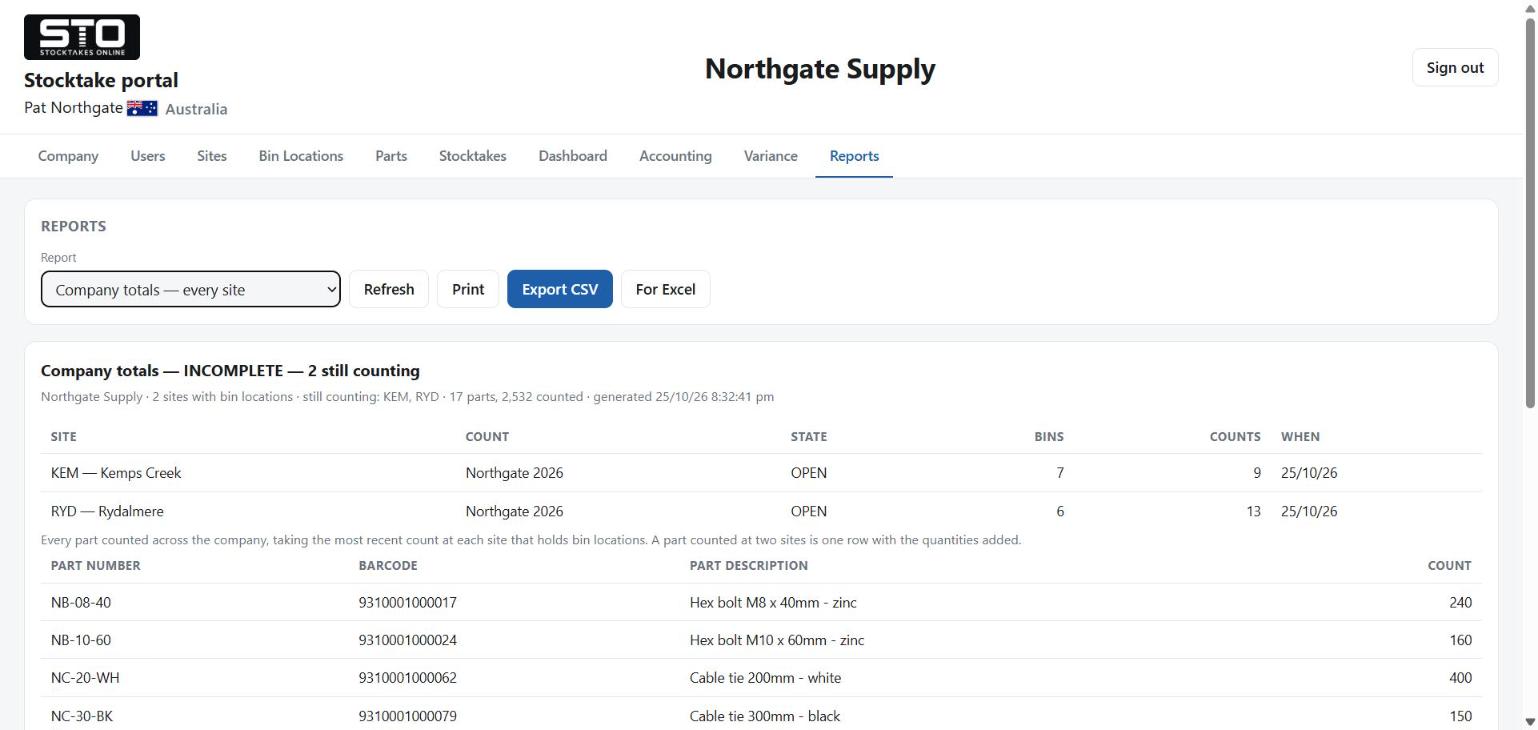
One stocktake at a time, totalled by bin, by site, by company and by operator, with a bar graph comparing operators and the raw counts in the order they happened. Everything is on screen, printable and exportable to CSV.
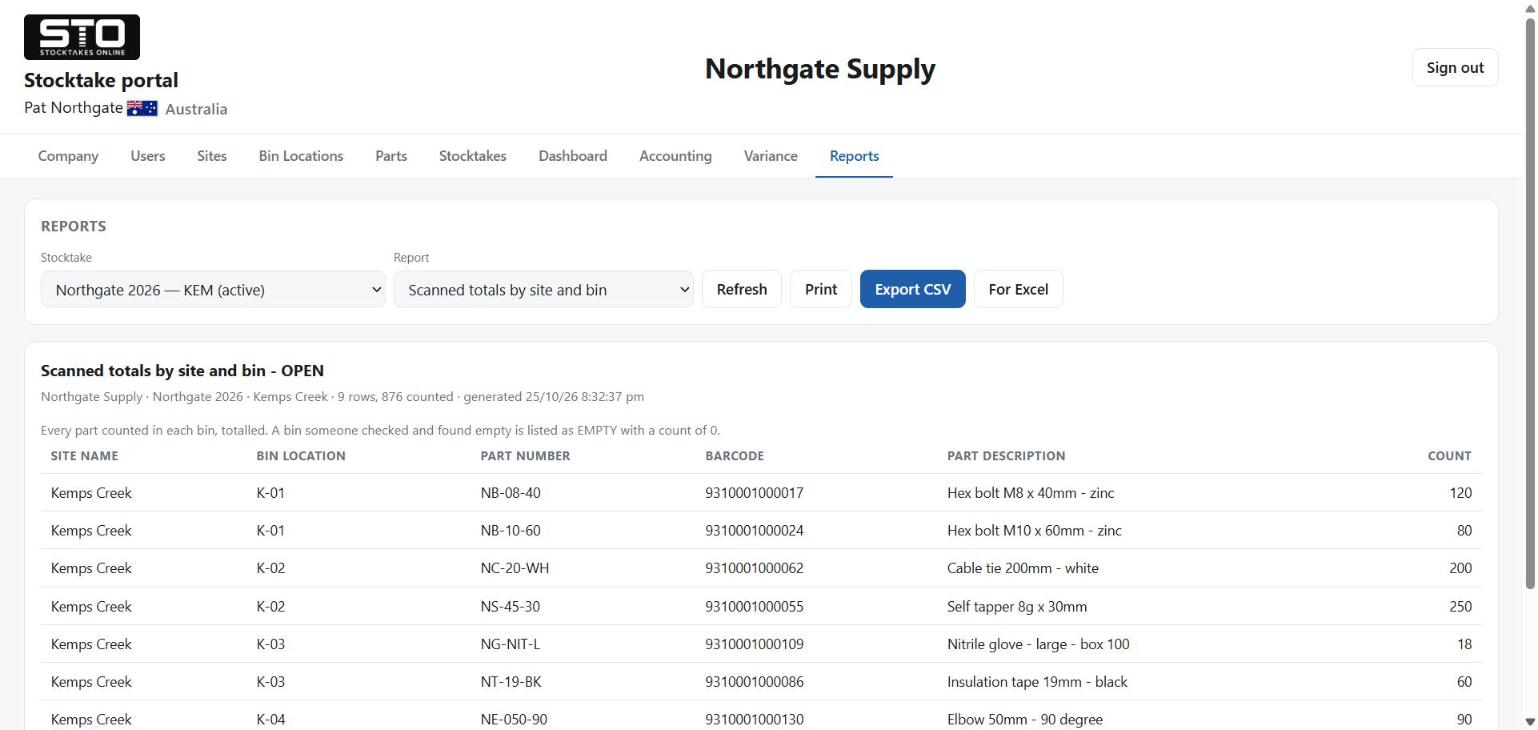
The one worth reading first is what was missed: parts never scanned by anybody, bins nobody visited, and bins marked empty. A bin nobody reached and a bin checked and found empty are different answers, and they are reported differently.
Withdrawn counts are out of every total. The row stays, so you can see that a figure was taken back.
Variance
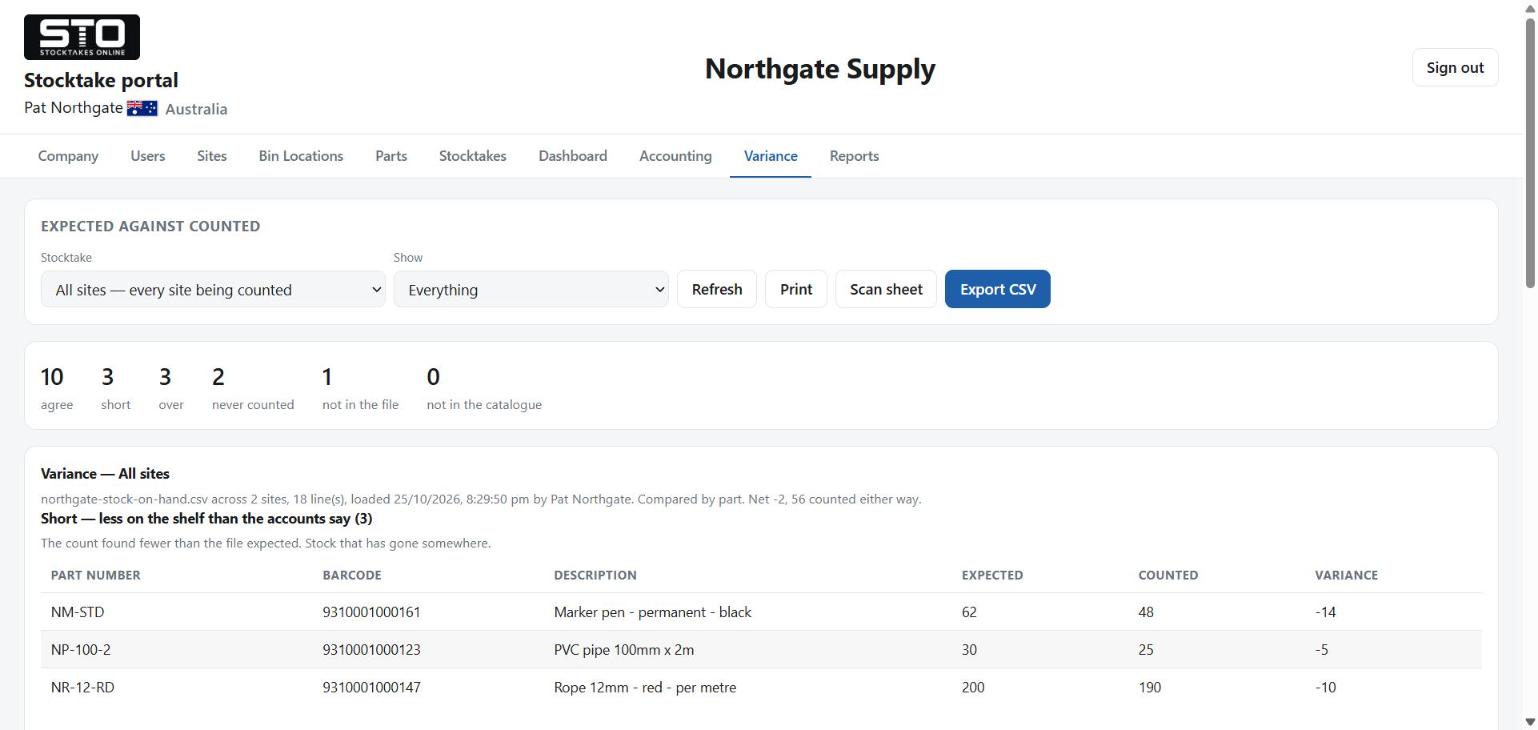
Only if you loaded an accounting file. Five answers, and all five matter:
| Heading | Means |
|---|---|
| Agree | counted, and the accounts say the same |
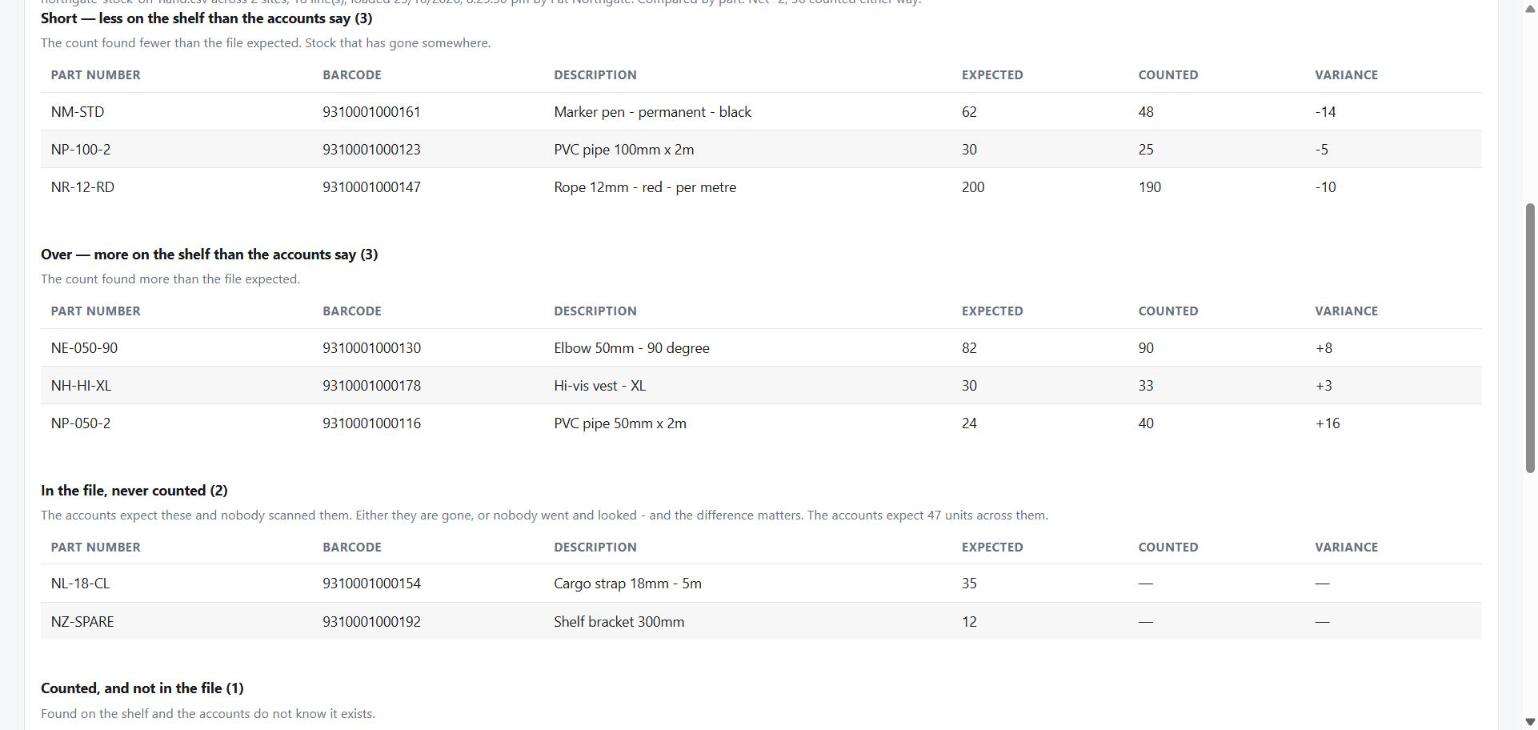
| Short | fewer on the shelf than the accounts say — stock that has gone somewhere |
| Over | more on the shelf than the accounts say |
| Never counted | in the file, never scanned by anybody |
| Not in the file | counted, and your accounts do not carry it |
Agreeing at zero is still agreeing, and being over from an expected zero is a real finding — the count found stock your accounts do not know about. Both are reported rather than hidden.
Over a warehouse move these answers are worded differently — arrived, short on arrival, not arrived and the rest — because the expected side is another one of your counts rather than your accounts. The comparison is the same one. See phase 7 of Moving a warehouse.
All sites, or one
Pick All sites to read the company answer. The portal takes the latest count at each site, which is the same rule the company-wide report uses, so the two can never disagree about what the company is.
Per-site answers are offered only when the file you loaded can honestly produce one. If your export had no site column, a per-site figure would be short by everything the other warehouses hold, so it is not offered at all rather than offered with a caveat.
Parts your catalogue does not have
Kept and reported, never thrown away. It is stock the count could never have found, and it usually means the part list and the accounts have drifted apart — which is worth knowing before next year.