Stocktakes Online — Barcode Datalink
MYOB AccountRight

Putting the adjustment back in.

We do not write to your accounts and we are not going to start. What we can do is tell you exactly how the other half works — the file MYOB's Import Assistant will accept, every error it can throw at you, and the two fields it requires while marking them optional everywhere it documents them.

Why this page exists

This is the step we refuse to do for you.

Which is a strange thing to write a manual about, so here is the reasoning.

The MYOB page says our link is one-way: you export a file, we read it, we report the difference, and nothing we do can alter your accounts. That has not changed and will not.

But the variance report ends with a list of differences that somebody has to put somewhere, and at that point you are on your own with MYOB's documentation — which gives you character limits and stops. It does not say what the numbers mean. It marks two required fields as optional. One of its error messages cannot name the field it is complaining about.

So we did it, seven times, until it worked. Everything below came out of a live AccountRight company on 29 September 2026 — one unit written off, then written back on, books square at the end. None of it came from the documentation.

The worked example is invented. WB-0090 and 6-4700 are not real accounts or parts. The figures are: 18 on hand, 17 counted, $24.38 a unit — because the arithmetic in the error explanations depends on them being the real ones.

The result

What you are aiming at.

Inventory Journal No.IJ000142
Date29/09/2026
MemoStocktake 29/09/2026 - Main Store
Item NumberQuantityUnit Cost AmountAccountMemo
WB-0090−1$24.38 −$24.386-4700counted 17 - expected 18

Note the two memos. One on the transaction saying which stocktake it came from, one on the line saying what was counted and what was expected. Leave them out and the entry is anonymous in your journal forever — and in April somebody will ask what it was.

The file

Eight columns, and only four of them matter.

Plain text, tabs or commas, headings on the first line. MYOB's file dialog filters to *.txt and will not take a spreadsheet.

Amount	Item Number	Quantity	Date	Account	Unit Cost	Memo	Allocation Memo
-24.38	WB-0090	-1	29/09/2026	6-4700	24.38	Stocktake 29/09/2026 - Main Store	counted 17 - expected 18

That line writes one unit off. Reverse every sign to put one back on.

Quantity is a change, not a count. This is the one that will cost you an afternoon.

If MYOB says 18 and you counted 17, the number in the file is −1. It is not 17.

And nothing will stop you. Send 17 and MYOB adds seventeen units, giving you 35 — and every check it runs will pass, because 17 is a perfectly valid quantity. The software cannot tell a count from a change. Only you can.

FieldNeeded?What it actually is
Item NumberRequired Must already exist in MYOB and be flagged as an Inventory item.
AmountRequired The value of the change — not a balance, not a price per unit. It must equal Quantity × Unit Cost and carry the same sign as Quantity.
DateRequired MYOB marks this optional. It is not. dd/mm/yyyy.
AccountRequired Marked optional too. It is the offset account — where the loss or gain goes. MYOB already knows which inventory asset account the item belongs to, so you never supply that side.
QuantityOptional on paper Needed for anything that moves stock. Three decimal places. Leave it out only for a value-only revaluation.
Unit CostOptional Leave it out and MYOB works it out from Amount ÷ Quantity — and warns you that it did. Supply it and the import is silent.
MemoOptional Put the stocktake in it.
Allocation MemoOptional Per line. counted 17 - expected 18.

Leave Journal Number out. MYOB assigns its own sequence and supplying yours either collides with it or leaves gaps in it.

The wizard

Five steps, and one of them is a trap.

01

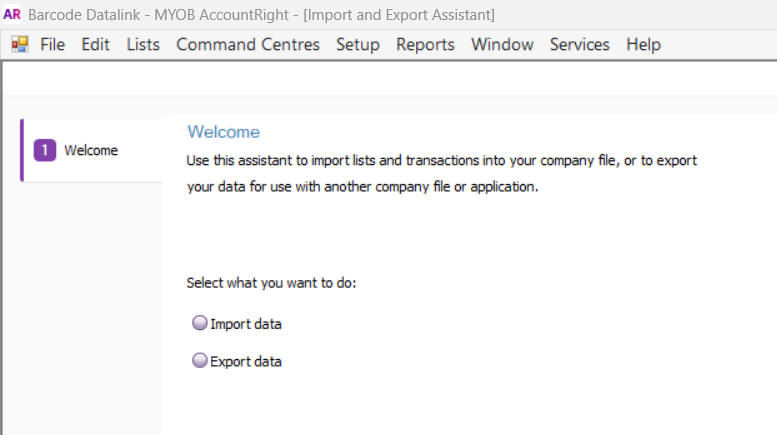
File, then Import and Export Assistant

MYOB AccountRight's File menu with Import and Export Assistant highlighted
02

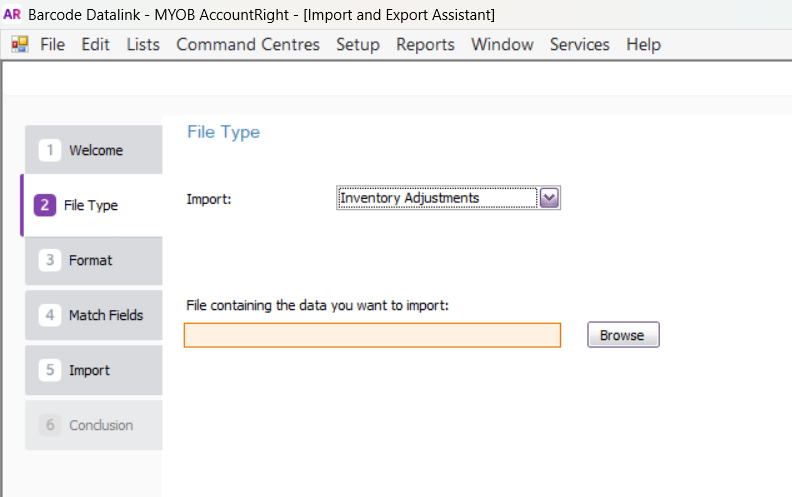
Choose Inventory Adjustments, then browse to your file

The File Type step of the Import and Export Assistant with Inventory Adjustments selected
03

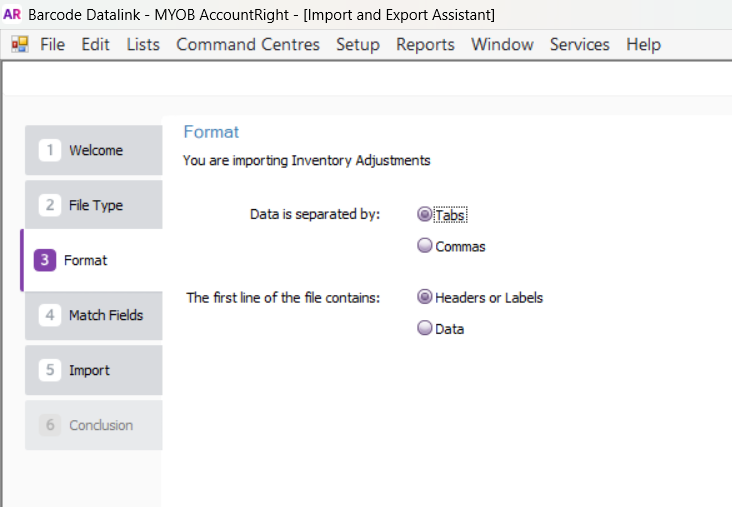
Match the delimiter to your file

Tabs is the default, and the example above is tab separated, so this screen needs nothing changed. If yours is comma separated, switch it here or nothing will parse. Either way the first line is headings.

Tabs are worth preferring: a memo like counted 17, expected 18 has a comma in it, and so will half your part descriptions. In a comma separated file that is a broken row.

The Format step of the Import and Export Assistant, with Tabs and Headers or Labels selected
04

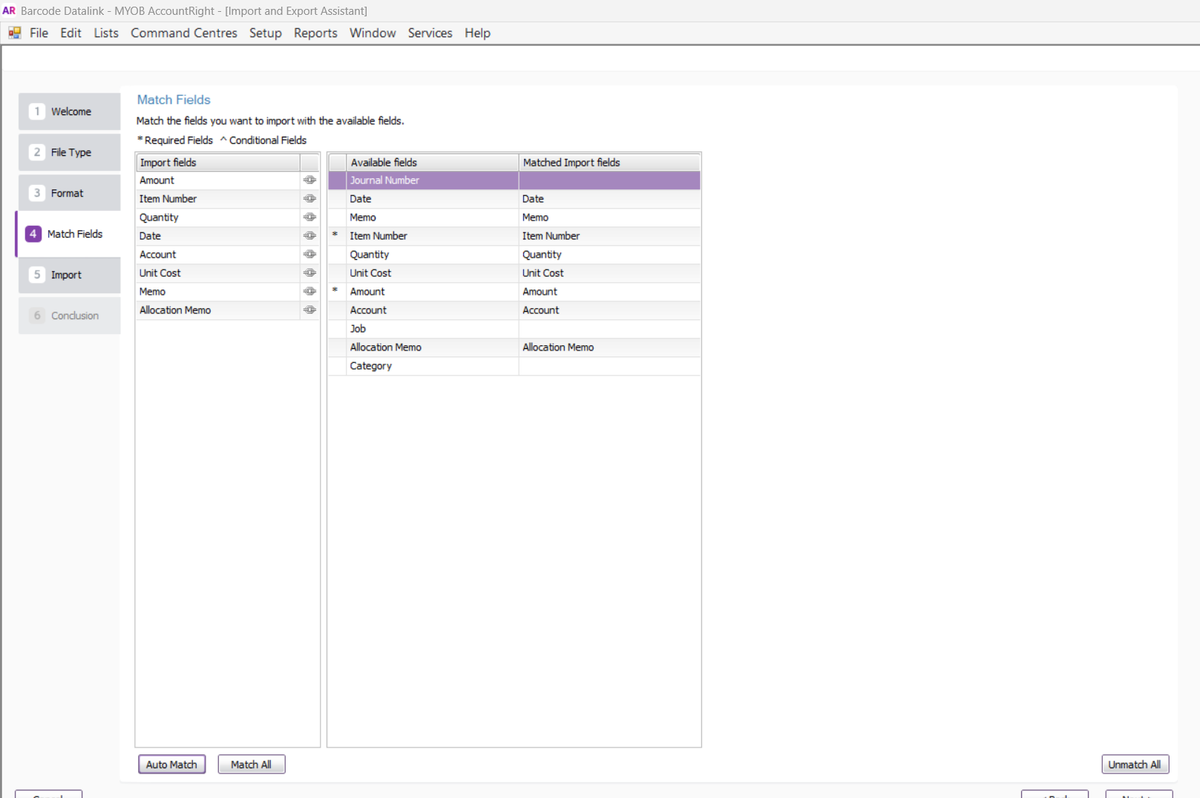
Match Fields — press Unmatch All first, every time

The mapping survives between imports and is not cleared when your columns change. We imported a file with no Unit Cost column at all and MYOB was still feeding one — from the Date column. It failed with an arithmetic error about a field that was not in the file.

Press Unmatch All, then Auto Match. Before you go on, check the right-hand column: everything you are sending should be matched, and everything you are not sending should be blank.

The Match Fields step with all eight columns matched - Date, Memo, Item Number, Quantity, Unit Cost, Amount, Account and Allocation Memo - and Journal Number, Job and Category left blank
All eight matched, and the three we are not sending — Journal Number, Job, Category — left empty. That blank column on the right is the thing to check before pressing Next.
05

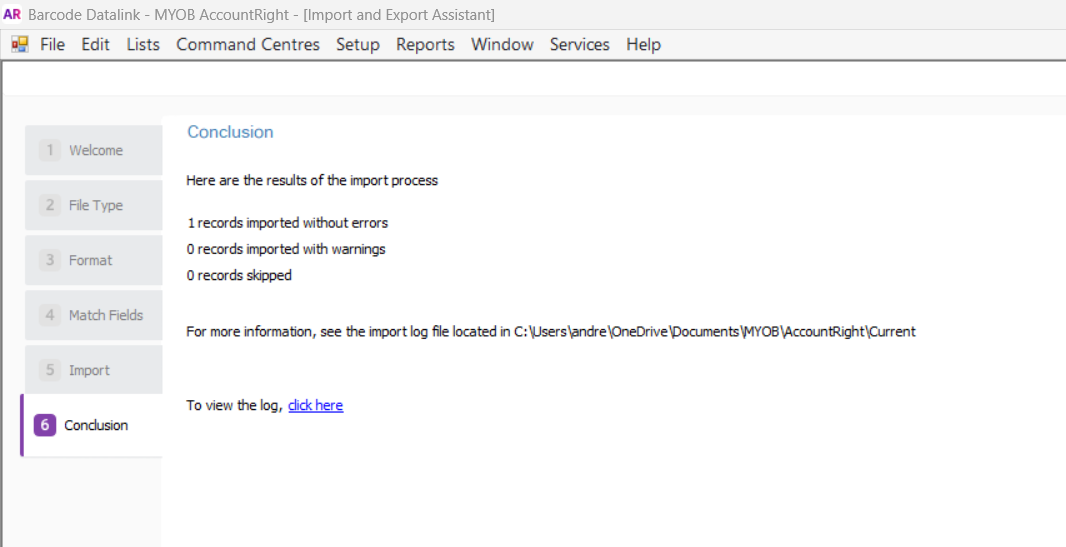
Import, and read the count

Nothing is written unless the whole line is valid. Every failure below left the ledger untouched.

The Conclusion step reading 1 records imported without errors, 0 with warnings, 0 skipped
When it refuses

Every error we hit, and what it actually means.

Search this page for the number in front of you.

Error -1021: Date is not valid for this transaction.

There is no date in your file. Date is required, despite being marked optional everywhere MYOB documents it.

Add a Date column in your system's format — 29/09/2026 on an Australian machine.

Error -274: The combination of Quantity, Unit Cost and Amounts values is invalid.

Your Amount and Quantity disagree. MYOB divides one by the other to get a unit cost, and it has to come out sensible. Amount +24.38 against Quantity -1 implies a cost of minus $24.38. Both must carry the same sign.

It can also mean a stale field mapping is feeding a Unit Cost you never sent. If your file has no Unit Cost column and you still get this, go back to Match Fields and Unmatch All.

Error -4253: Please select the {1} account.

There is no account in your file. Required, and marked optional. The {1} is MYOB's — their message cannot name the field it wants.

Add an Account column with an existing code, five digits with a separator after the first: 6-4700.

Error -275: You may not transfer more items than you have on hand.

Genuinely this, if you are writing off more than MYOB thinks you hold.

But we also saw it with a stale field mapping, on a line taking one unit off eighteen. If the quantity looks reasonable, suspect the mapping before you suspect the stock.

Warning 835: Unit Cost is invalid or blank; recalculated.

Not an error. The line imported. You left Unit Cost out, so MYOB divided Amount by Quantity and used the result. The stored figure is identical either way.

Supply Unit Cost if you would rather not see "imported with warnings" against a sixty-line file.

Two decisions

Neither of these is ours to make, and neither is MYOB's.

Which account it hits

Cost of Sales reduces your gross profit. An expense account leaves gross profit alone and hits the bottom line further down. Stocktake shrinkage goes in either, and which one changes a percentage your accountant may have been reporting for years.

Look at what your existing adjustments use and keep doing that. Consistency matters more than which side of the line it sits on — a series that changes account halfway makes every year-on-year comparison wrong.

What the stock is worth

MYOB does not substitute its own average cost. Whatever value is in the file reaches your ledger — it recalculates the unit cost to match your Amount, not the other way round.

Your Inventory Value Reconciliation gives you the figure: Current Value ÷ On Hand. It is approximate. 438.77 ÷ 18 is 24.3761, and a rounded 24.38 × 18 comes back to 438.84 — seven cents adrift. Unit Cost takes four decimal places for exactly that reason.

And what nothing catches

Every check MYOB runs is arithmetic. It verifies that Amount divided by Quantity gives a sensible cost. It will never ask whether your number is a count or a change, because nothing in the file says.

That is not a criticism of MYOB. It is the reason the figures are better coming out of something that already knows the difference than being typed twice.

The other half

Getting the count in the first place.

This page is the last five minutes of a stocktake. The MYOB page is the rest of it — exporting your stock list, counting it with scanners, and reading the variance line by line so you know which lines need an adjustment at all.

You only adjust what disagrees. Everything that matched needs nothing, and leaving it out of the file is the difference between a page of entries and a thousand.

Talk to us about a stocktake