Counted, empty, and not yet
A bin looked in and found bare is not the same as a bin nobody reached, and once the count is closed they read the same in every total. The map is where you can still tell them apart.

Most stocktake software tells you how it went. This tells you how it is going — from every warehouse at once, updating every five seconds. It is free, and it is part of Stocktakes Online.
How far through are we? Will we finish tonight? Has anyone stopped? Is that number right? They normally get answered by walking the floor and asking somebody. The Dashboard answers them on a screen, from the counts themselves, while the count is still running.
A count, from empty. Forty minutes at forty-three times speed — 22,098 parts, 420 bins, three sites, 8,770 counts.
A stocktake is rarely finished in a day. Here is the same count the next morning, picking up where it stopped.
The next morning. It opens on yesterday’s 48% with nothing being counted and no finish time offered, fills to 79%, and stops again. Nothing was paused and nothing was reset.
Every bin at a site, drawn as the rack it actually is — aisle by aisle, level by level.
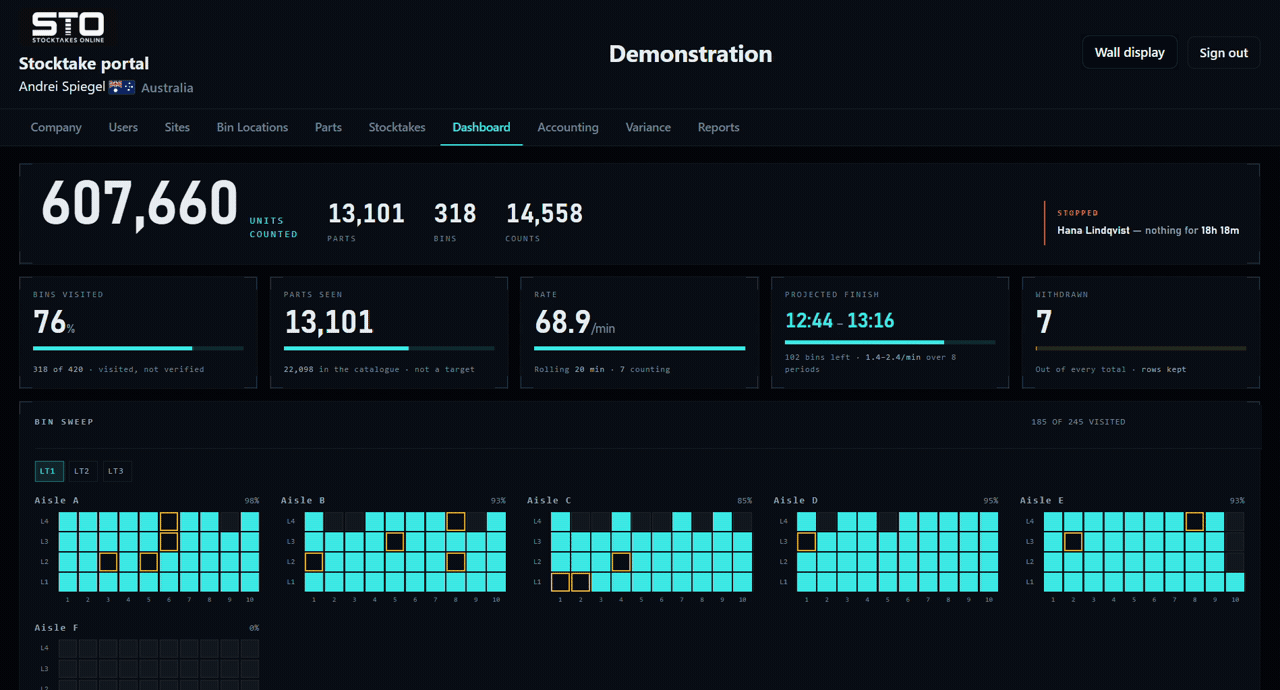
A bin looked in and found bare is not the same as a bin nobody reached, and once the count is closed they read the same in every total. The map is where you can still tell them apart.
The top of the rack needs a forklift, so it gets left. Drawn as an elevation rather than a flat strip, that gap is obvious at a glance instead of being averaged away into a percentage.
A bin code is unique within a warehouse, not across them, so one map cannot honestly show two. Switch sites, or let a wall display rotate through them.
Rolling, not an average across the whole count — which converges on meaningless by the afternoon and says nothing about whether the floor is still moving.
Not a single time — one slow aisle moves that by half an hour. The two ends come from the fastest and slowest twenty minutes this count has actually managed, and it stays blank until there is enough counting behind it to mean anything. Past a day’s work left, it stops guessing and says so.
Named, with how long since their last scan. A scanner that went flat at 2pm is worth knowing about at ten past, not at knock-off. When nobody at all is counting it says that in one line instead of listing everybody — which is what a count left open overnight looks like.
How many, how much, how many bins, how fast, and when they last scanned, ranked by what they have counted.
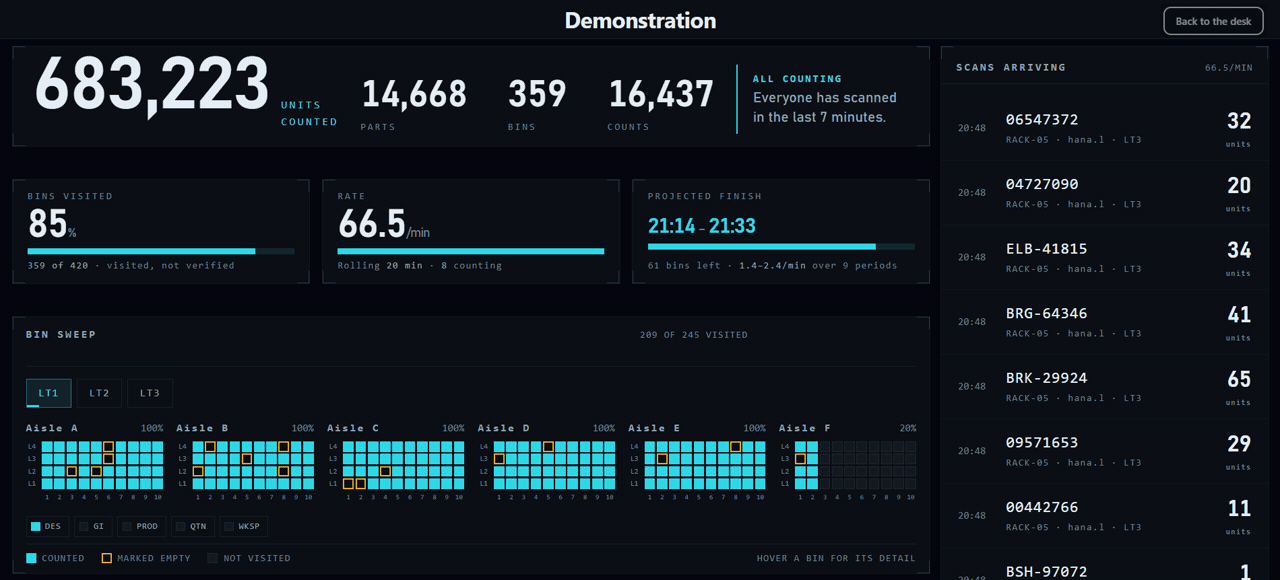
The last counts as they land — part, bin, quantity, who, and which site. The scanner stores nothing, so what is on this list is what is recorded.
The same screen with the furniture stripped off, sized for a TV in the warehouse office, rotating through each site in turn.
Five things the counts themselves say are odd. None of them is an error, nothing is changed and nothing is deleted — they are facts already recorded, put where somebody can see them while there is still time to walk over and check.
A count more than ten times what your accounting file expects for that part. Usually a carton counted as a unit.
A count keyed at the scanner’s ceiling. Operators taught on older systems type 9999 to mean “none”, and have done for years.
The same part counted twice in the same bin by the same person. Both stand — a part can sit in two places in a big bin — but it is worth a look.
A count the operator took back. The row stays, out of every total, so an admin can see a figure was withdrawn rather than finding a gap.
The same part in the same location counted by two different operators. Either the work was done twice, or two people disagree about one shelf.

Built in October 2026, against a test warehouse of 22,098 parts and 420 bins across three sites — which is where the video above comes from. It has not yet been used on a customer’s count. If you run one with us this year you will be among the first to use it, and we would like to hear what it gets wrong.
It is dark when the rest of the portal is not, on purpose: it is the one screen in the system you watch rather than read, and it is meant to be legible from across a room.